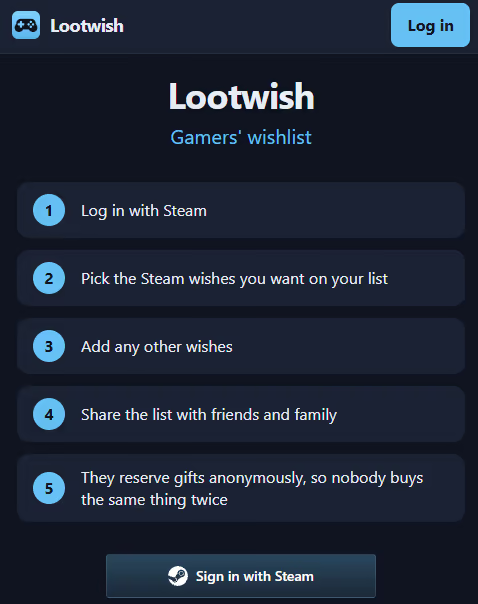
Lately I have been building Lootwish, which is a wishlist app for games. The older I get, the more stuff I already own, and the fewer gift ideas I have. Games are expensive enough that I constantly keep a backlog of new titles I would like to eventually play. So the original idea was to auto-import all wishlisted games from Steam and build a reservation system around it. However, I quickly discovered that this was not enough, since when testing it myself, I also had other wishes that I wanted to add. So I added an import feature that fetches the wish details from a URL. This blog post is a few technical highlights of how it was built. The landing page sums up the intended flow in five steps:
Tech Stack
The system is built using Dioxus in Rust, where Dioxus is used for both the frontend and the backend. The frontend uses Tailwind, but is otherwise pure Dioxus. The application uses SurrealDB 2 as an embedded database, so that it runs in the same process as the rest of the application. This was done to keep hosting minimal. Everything is hosted on a $7 DigitalOcean droplet with a shared CPU and 1 GB of memory. On the server, an Nginx instance maintains HTTPS through certbot auto-renewal.
The application is written with command and query separation, where each command and query has a corresponding test. The overall functionality is tested through Playwright, with a test for each user action. Overall, I relied heavily on LLMs for writing all the combinatorial tests and the extraction logic, as it was very easy to confirm regressions with the tests. It did save the system from a couple of regression bugs during development. Since SurrealDB was embedded directly into the application, it was quite trivial to run all tests against a realistic database setup.
As with most hobby projects I have, one of the first systems I set up is CI and CD. Using GitHub Actions, any push to master is automatically tested with the CI pipeline, and if all tests pass, it is deployed using the CD pipeline. The CD pipeline SSHes into the droplet, deploys the application binary, and restarts it using systemd. Interestingly, I started with a setup where the server compiled the binary directly from source, but with only 1 GB of memory (even with 2 GB of disk swap), the SurrealDB dependency could not compile. I also use GitHub Actions for monitoring health checks, extracting the logs periodically, and checking for any errors.
Login to the system is handled directly by Steam OpenID, Google OAuth, or Discord OAuth, all of which were quite easy to set up in their respective self-service portals. Steam did not even require registering the application. This is quite effective for the project, as it means I don’t have to store any password information.
Synchronizing wishes with Steam
The primary feature I initially wanted was the ability to import games from Steam. Additionally, if the user deleted something from the Steam wishlist, it will show up so they can delete the wish from their Lootwish wishlist too. I tested a few automatic methods, but the manual import seemed to work best, as the user can control what they want. The import dialog lists every entry on the Steam wishlist with everything selected by default, so the common case is a single click:
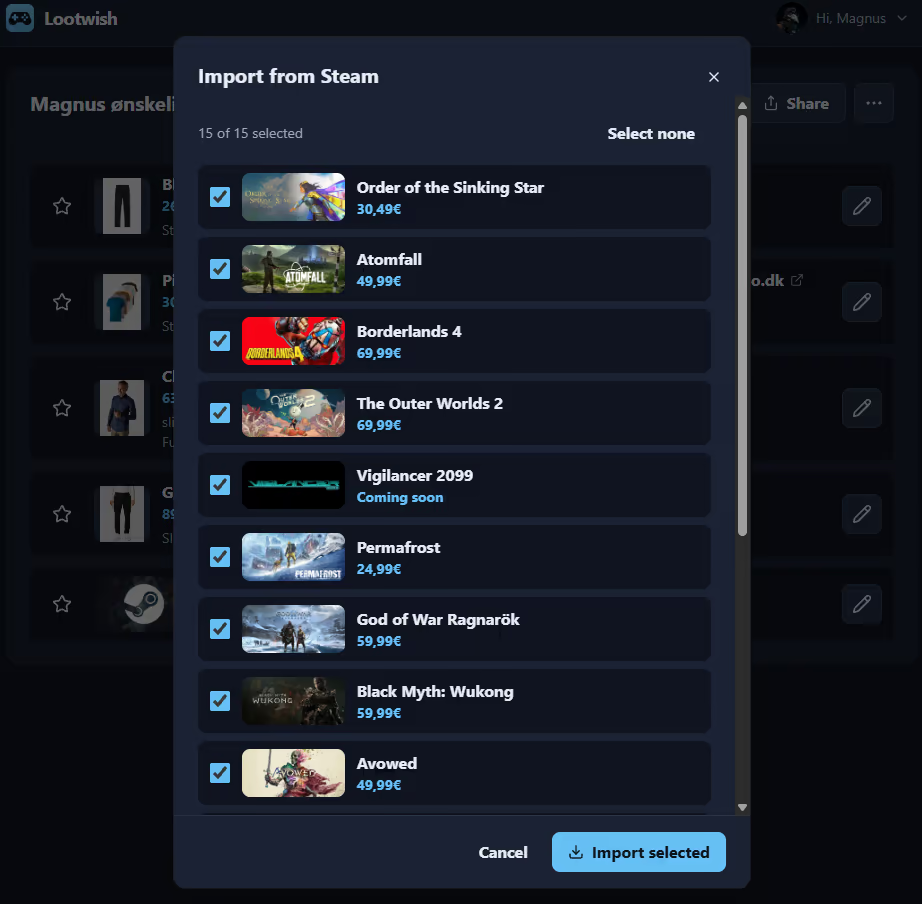
The Steam integration was simple, even though the wishlist is not an official API endpoint. The biggest problem was visibility: you have to go into Steam and change the visibility of the wishlist to public in order for the API call to work. Right now this is just explained in text, which the user then has to go and do. Of the first people who tried the application, one hit this problem. If this is common among Steam users, it could block adoption.
Reservations and owner access
Other people can reserve wishes to ensure no gift is bought twice, and they can see which wishes are already reserved. This is quite a nice setup, but two things have to be ensured: who can access and reserve from the wishlist, and how to ensure the owner does not accidentally find out beforehand.
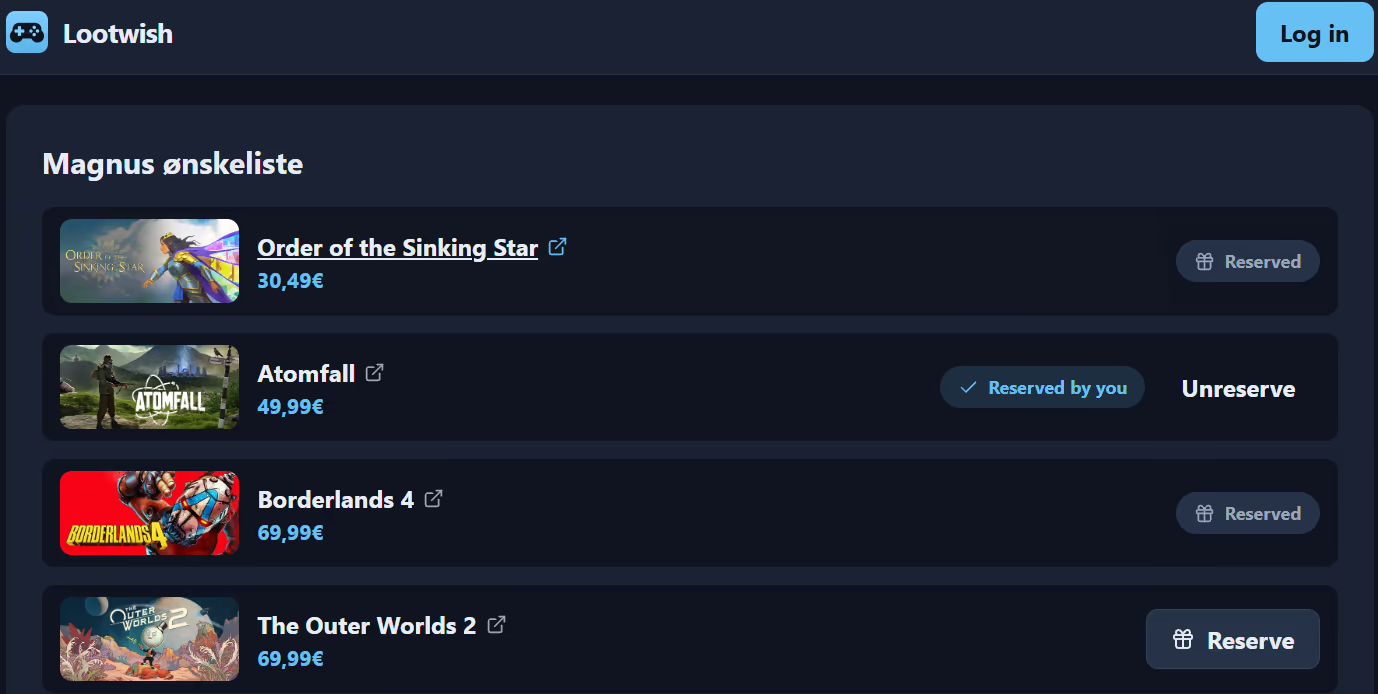
An annoyance I have with other solutions is that they require you to create an account to reserve wishes. It makes the reservations a lot easier for the system, but I did not want to force people to sign up. Therefore, Lootwish uses an anonymous reservation system by default. It stores a random id in localStorage and binds the reservation to it. That way you can still come back later and unreserve the wish, as long as you have not cleared your browser data. This is the primary system I would expect to work for most, but I also added settings to make a wishlist private, so no one else can see it, and to require people to sign up. This was mostly to prevent easy trolling for people who are worried about it, but I think the anonymous system works best in tight-knit groups of friends and family.
This is what a visitor sees without logging in. Wishes reserved by others are greyed out, their own reservation can be undone, and the rest are still open:
With the login solutions provided, an issue I ran into was that sometimes the owner of a wishlist visits it when their session has expired, and they would accidentally see all the reservations. To prevent this, I reused the localStorage solution from before: a marker is stored when the owner creates a wishlist, and if that marker is present, the page tells them to log in again instead of showing the reservations.
Fetching links and getting blocked
A pretty neat feature is that when you put in a URL for the wish, it will automatically fetch the details and put them into a wish. The dialog for adding a wish is nothing more than a link field, with a manual form as the fallback:
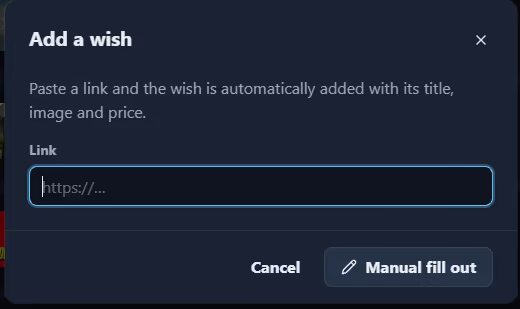
At its core, the feature is just a reqwest call to the linked site and extraction of the wish data: price, title, and images. However, three things make it harder than it looks: bot protection, information structure, and link abuse.
Some sites are protected by filters that prevent bots from entering, and this also prevents a direct call to get the HTML for a specific product. I do think the sites are doing themselves a disservice by blocking traffic that wants to view their products, but I assume they have had problems, since they do it. Therefore, I chose to just advise the user that the site blocked the request and let them fall back to filling out the wish manually.
The web is diverse, and many sites host their products in different ways. When trying to get information from them, it is usually quite easy to get the title and image, but the price is usually a bit tricky. A larger than expected number of sites exposed the price directly in a meta tag with property="product:price:amount". But the issues were with the sites that did not expose this directly. To get the best possible coverage, I extracted the top 150 sites for online products and put them into a test suite with the expected information, then iterated on different generic ways of capturing the price until it matched all of them. Then I added logging mechanisms to log any missing information, so I can find it later and add it to the test suite.
Lastly, to prevent link abuse, where a malicious link is referenced, I used Google Web Risk. This is similar to what I did for AnchorUrl, but with the commercial version. Google fortunately allows a huge amount of free usage, which is really nice. However, in the free tier you can either use the local hash list or the lookup API, but not both. The hash list only contains prefixes, so a prefix match still requires a lookup to confirm it, and that combination is paid. This means that I cannot choose the solution that calls Google the least. Instead, I went with looking up every URL, since that stays within the free tier. Additionally, I implemented caching for it and heavy user rate limiting to prevent abuse.
Mass editing
I have had an issue with a similar digital wishlist solution where the “Save” button failed, so it stayed on the “Add wish” page every time I pressed it. At the time, I wanted to show my wife that this was a feasible product, since the competition was badly made, so I pressed it a bunch of times to showcase the error. What actually ended up happening was that I added the same wish to my wishlist 50 times. There was no way of deleting without pressing 3 times for each wish, so after 150 presses, I was more motivated than ever to create my own version.
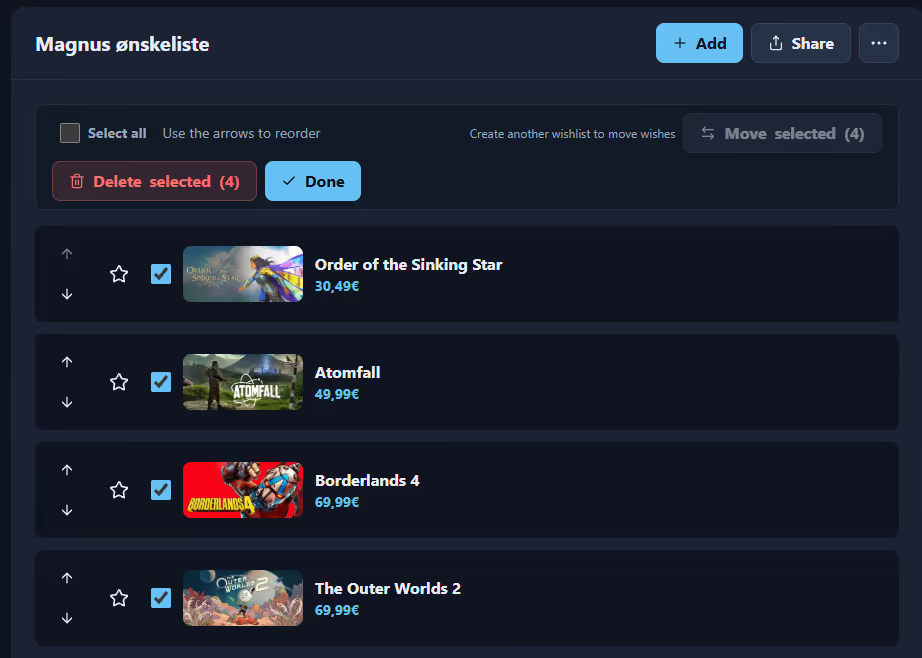
Mass edit lets you select wishes and delete them in one go. I also built in the ability to reorder the wishes with arrows and move the selection between multiple wishlists, although the primary use case is that of a single wishlist, so the move button stays disabled until a second wishlist exists:
Takeaway
This project has given me a good base for extending it further in the future, if I run into something that I want to add. I am already thinking about:
- Extending it with friend list functionality
- Making wishlists available only upon accepted requests
- Creating a gift idea generator, either by taking existing wishes into account or by game-like themes
Please send me an email if you want to see one of those, or if there is another feature you might want.
Try it out at Lootwish.com!