During my studies, before every exam, I had a period where I needed a PDF Merger to collect all lecture notes into a single slideshow that I could easily search for information. This wasn’t supported by default on my PC, and the only options were online mergers that required uploading the files or a premium version of Adobe Reader. That’s when I came up with the idea of an Offline PDF Merger using WebAssembly to run an open-source program locally.
I originally made a version of the PDF Merger using Blazor and C# back in 2020. It worked, but had several issues I wanted to solve. You can find it on Github: PDFMerge. Some of the problems were:
- Everything ran in the main thread, so merging large PDFs caused it to freeze the UI until merging was done.
- There was no way to report progress while merging, so it just appeared frozen.
- Error handling was difficult, as the way WebAssembly threw exceptions made them hard to catch.
- The UI wasn’t very nice.
I have now built a new version of the Offline PDF Merger that still uses WebAssembly, but this time with Rust and the Lopdf crate. The Lopdf crate already contained an example of how to merge PDFs. This made it possible to report more accurate progress, since the merging code is not hidden inside the crate but available for modification. The Offline PDF Merger is available at: pdfmerge.mhh.dev. This blog post digs into the interesting aspects of making it.
Progress reporting and background worker
Using WebAssembly in Rust is actually incredibly easy. You combine everything with wasm-bindgen and access it in JavaScript like this:
import init, { merge } from "./pkg/pdf_merge.js";
Afterwards, the merge function can be called like any JavaScript function. In this case, it simply takes a list of Uint8Array objects for the binary data of each PDF and returns a Uint8Array for the merged PDF.
To get everything running in the background, a Worker was used. It calls the merge function by passing the PDF files through messages (using transferables to avoid copying memory) and receives the results later. Additional messages are used to report errors and progress:
// Sets up the Worker
const worker = new Worker("./mergeWorker.js", { type: "module" });

// Effectively a function call to merge
worker.postMessage({ files: uint8Arrays, fileName }, transferables);

// Receive progress reports and the result
let workerReady = false;
worker.onmessage = (event) => {
    const { type, pdf, message, fileName } = event.data;
    if (type === "ready") {
        workerReady = true;
        return;
    }

    if (type === "progress") {
        progressText.innerText = message;
        return;
    }

    if (type === "done") {
        downloadPdf(pdf, fileName);
    } else if (type === "error") {
        showError(message);
    }
}
The hardest part was calling message parsing from Rust. Specifically, the Worker runs in a single thread, so WebAssembly has to send messages all the way back to the main thread. This was done using js_sys, which made it straightforward to report progress:
fn report_progress(message: &str) {
    let global = js_sys::global();

    // Call globalThis.postMessage(msg)
    let func = js_sys::Reflect::get(&global, &JsValue::from_str("postMessage"))
        .unwrap()
        .dyn_into::<js_sys::Function>()
        .unwrap();

    let obj = js_sys::Object::new();
    Reflect::set(&obj, &JsValue::from_str("type"), &JsValue::from_str("progress")).unwrap();
    Reflect::set(&obj, &JsValue::from_str("message"), &JsValue::from_str(message)).unwrap();

    func.call1(&global, &obj).unwrap();
}
This isn’t the cleanest Rust code, but it provides a reliable way to report progress.
Error handling
Since the actual merging is done using Rust compiled to WebAssembly, it’s much easier to handle errors with Result. The only remaining concern was handling exceptions caused by unexpected behavior such as memory limits (WebAssembly is mostly limited to 2 GB):
try {
    const mergedPdf = merge_exposed(files);

    postMessage({ type: "done", pdf: mergedPdf, fileName }, [mergedPdf.buffer]);
} catch (err) {
    if (err instanceof WebAssembly.RuntimeError) {
        postMessage({ type: "error", message: "Unexpected WASM exception: " + err.message });
        console.error(err);
    } else {
        postMessage({ type: "error", message: err });
    }
}
This way, errors are properly shown to the user.
UI design
The UI uses a minimalistic style to display everything, which made it easy to support both light and dark modes:
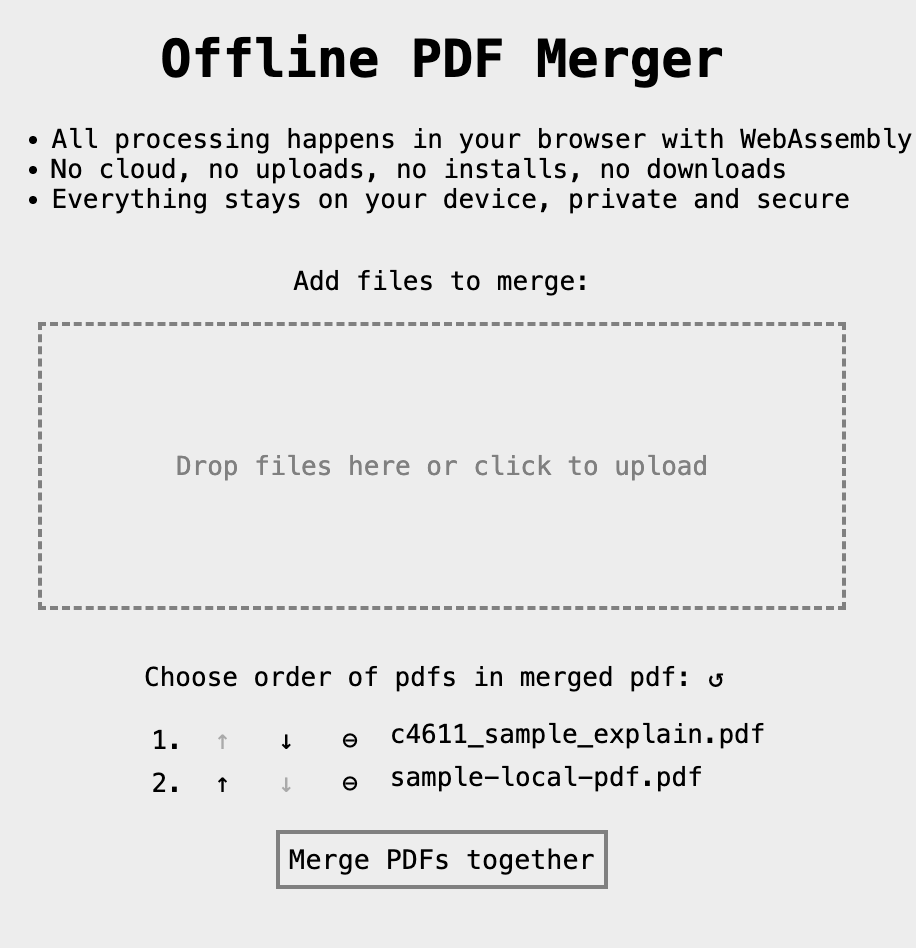
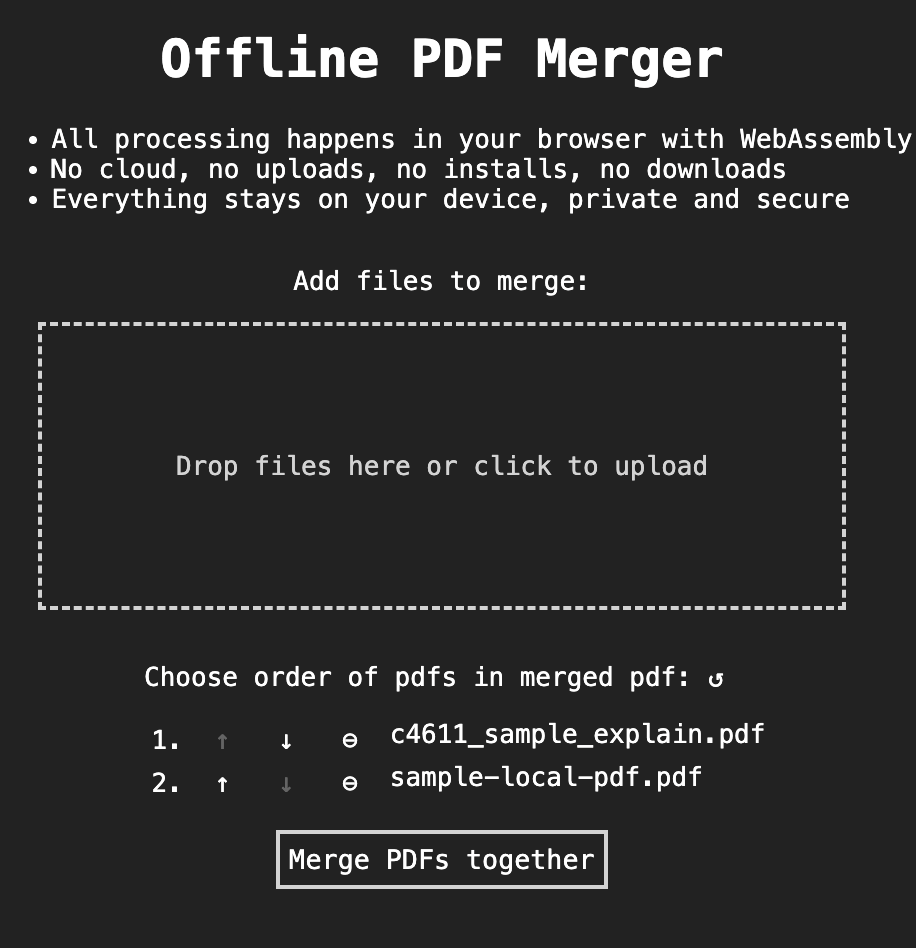
Additional thoughts about the UI:
- It uses a shake animation to indicate errors.
- It shows a spinner while merging, with progress updates displayed underneath.
- The icon buttons all include title properties, which explain their function on hover.
Conclusion
The Offline PDF Merger supports most PDF merging needs and makes the functionality easy to access. Go check it out at: